

Last Updated on 23. July 2026
Plenty of design kits exist in Figma for consumer apps, dashboards, or SaaS products. Enterprise applications are a different story: they involve complex data structures, role-based workflows, and demanding accessibility requirements. Anyone who has tried to build a screen with nested tables, context-dependent validations, and multiple navigation levels using a consumer library knows the problem: these systems are built for different requirements. Plasma was created for exactly this context.
The A12 Plasma Design Kit has been available in the Figma Community since July 17, 2026 – free of charge and without registration, licensed under CC BY 4.0. Visit the Community Page on Figma
Why mgm published Plasma as an Open Source Kit on Figma
The release of the Figma Design Kit is the next step following the open-sourcing of the A12 AI Low Code Platform: since then, the source code has been available under the EUPL 1.2 license on GitHub and openCode.de. Read the full article
With the Figma Design Kit, this step now extends to the design process. Sergio Lerena Robles, a member of mgm’s executive management, describes the intent behind it: “The open source decision was not an end in itself. We opened up A12 because everyone who works with the platform should be able to act independently, not just in the code, but throughout the entire development process. The Figma Design Kit is the next logical step toward that goal. Anyone evaluating or using A12 should be able to work with the same building blocks our own teams use, starting from the very first draft.”
What sets A12 Plasma apart from other design systems
Plasma is the design system of the A12 AI Low Code Platform. It was not built as a generic UI framework, but for a specific application context: enterprise applications that handle large volumes of data, complex business processes, and professional users.
The design system follows three principles.
- Robustness means designing systems that prevent errors wherever possible and catch problems early, so users always stay in control of their actions.
- Efficiency means simplifying workflows while keeping them understandable. Beginners benefit from clear steps, while experienced users expect faster paths. Our goal is to enable both, so every user can reach their objective efficiently without losing time.
- Accessibility is built into every component from the start: keyboard navigation, screen reader support, and testing against WCAG 2.1, BITV 2.0, and EN 301 549.
This matters especially for public sector projects, where these requirements are legally mandated and must be considered from day one.
A12 Plasma has been developed and tested in real enterprise projects across various industries, including automotive, insurance, e-commerce, and the public sector, for more than seven years. The 17-person UI/UX team has invested over 150,000 hours in the process, incorporating insights from more than 47 projects. The result is 259 widgets and 159 UX patterns based on concrete usage requirements rather than assumptions. For an overview, visit the A12 Plasma website.
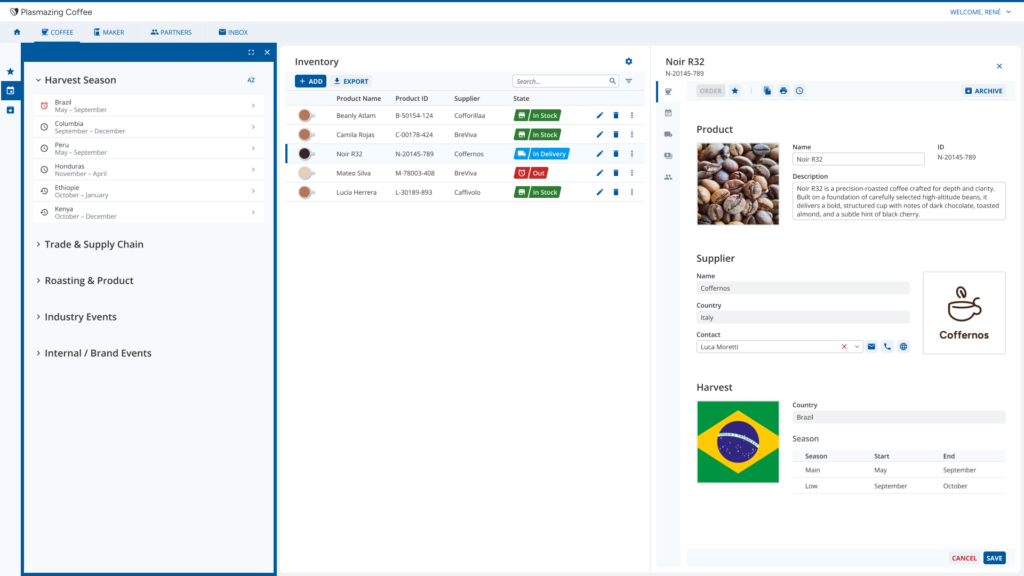
Livia Böhme, Head of the UI/UX Team at mgm, emphasizes: “Plasma grew over a period of seven years in real enterprise projects, not on a drawing board. That experience is embedded in every component of the Figma Kit. Anyone working with it isn’t facing abstract building blocks, but solutions that have already proven themselves in complex projects.”
What the Enterprise Design Kit for Figma includes
When putting the kit together, the Plasma team asked itself one concrete question: “Which components are most likely to be needed when designing enterprise applications?” Not every component from A12 was rebuilt in Figma. The Design Kit includes a curated selection covering the majority of design tasks, with the goal of expanding it step by step.
Included are a component library for the most common UI building blocks in enterprise applications, such as form elements, data tables, navigation structures, and notification widgets, as well as a complete token system for consistent theming. Plasma works with a base theme that can be customized on two levels. Semantic tokens allow the interface to be quickly adapted to individual corporate design requirements at the application level. Anyone who needs more control can also fine-tune the design of each individual component.
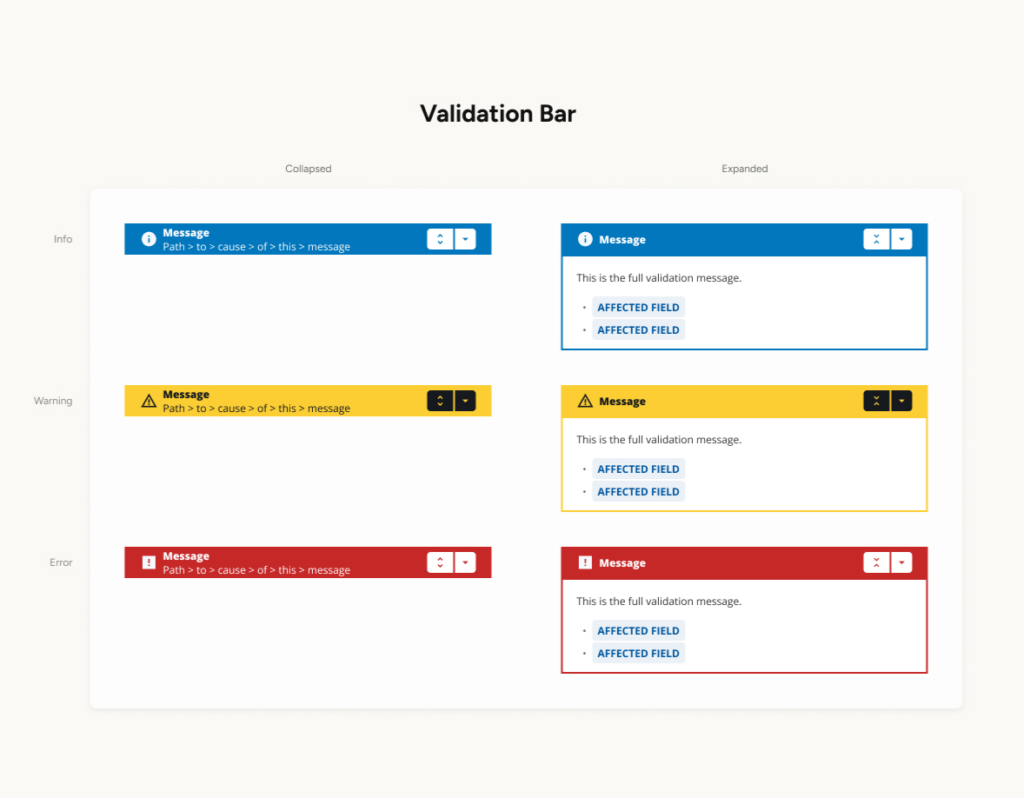
Concepts and patterns are described in detail in the documentation on the getA12.com user portal under “UI/UX”. This includes information architecture, navigation concepts, workflow patterns such as master detail, modal edit, and inline edit, as well as validation and notification guidelines. The Figma Design Kit provides design templates that show how components look and behave, for example a form field in an error state or a table with multiple hierarchy levels. Implementation in code then follows using the corresponding A12 widgets.
Livia Böhme adds: “Enterprise applications rarely fail because of code. More often, it’s design decisions made too late. When designers work with the same components as developers from the very start, there are fewer misunderstandings and better products result.”
A Figma Design Kit for Enterprise UX, Built from Real Projects
The goal was clear: getting started with the design process in A12 should be just as low-barrier as getting started with the code. Anyone who explores Plasma in Figma before beginning the modeling work can make better decisions about structure, navigation, and components. That’s the reason behind this step.
A12 Plasma on Figma: Get Started for Free Now
The Enterprise Design Kit for Figma is freely accessible at figma.com/@mgmA12. The complete concept and patterns documentation can be found on the A12 user portal at getA12.com under UI/UX, and an overview of Plasma is available on the A12 Plasma website.
Questions, feedback, or suggestions about the library? Send us an email.
Related Articles
- Blog article: “A12 AI Low Code Platform Is Open Source”: https://insights.mgm-tp.com/de/2026/unternehmen/a12-ai-low-code-plattform-ist-open-source/